UNDER THE HOOD ACTION HOW-TO VIDEO TOUR IN 5 MINUTES
UNDER THE HOOD ACTION PLAN FAQs
It has been a few days since I attended the UTH session. What is the best way to get back to my Personal Action Plan and Calendar?
ACCESSING THE UNDER THE HOOD IMPACT PLAN
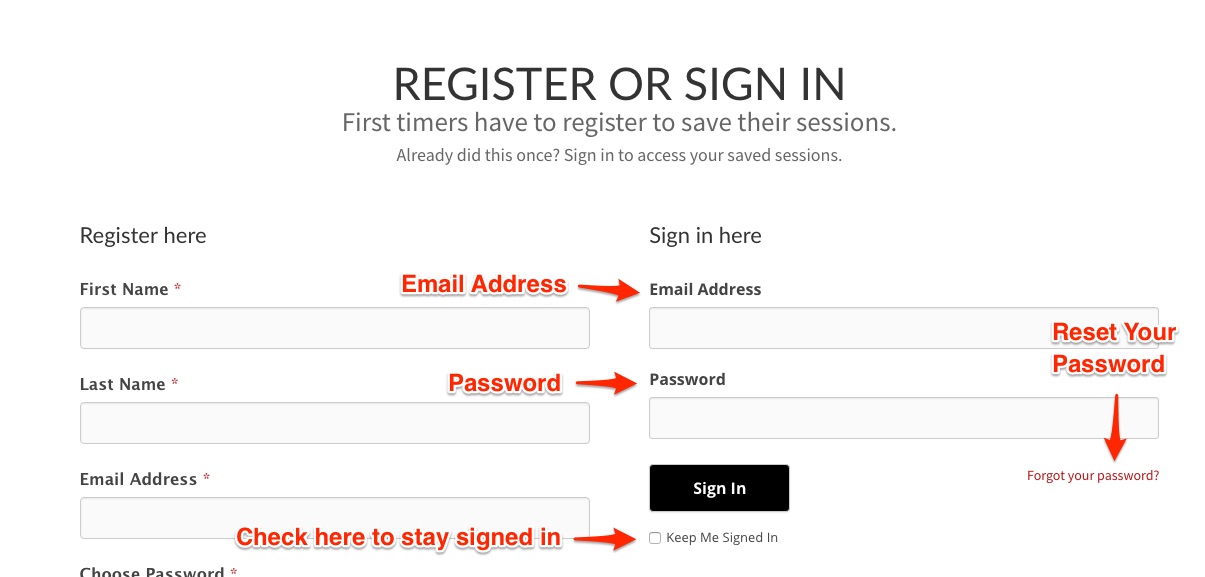
Navigate to the SLAP company home page. In the upper right corner of the screen, you will see the "Client Portal" link. You will need to login to access your impact plan. Your email address is your username. One of the links on the member portal page will be "My Under the Hood Impact Plan". Click there to access your plan.

What if I’m not seeing the list of ideas from my entire session?
WHERE DID MY IDEA GO?
The original author of each idea is the only person that has the power to edit or delete an idea from your list. If for some reason you are not seeing an idea that you know was there, chances are it was deleted by the author.
We recommend to not delete any idea from the list. If you don't want an idea then do not add it to your personal list. Your "My List" is there for you edit and curate your own list of things to remember and do.
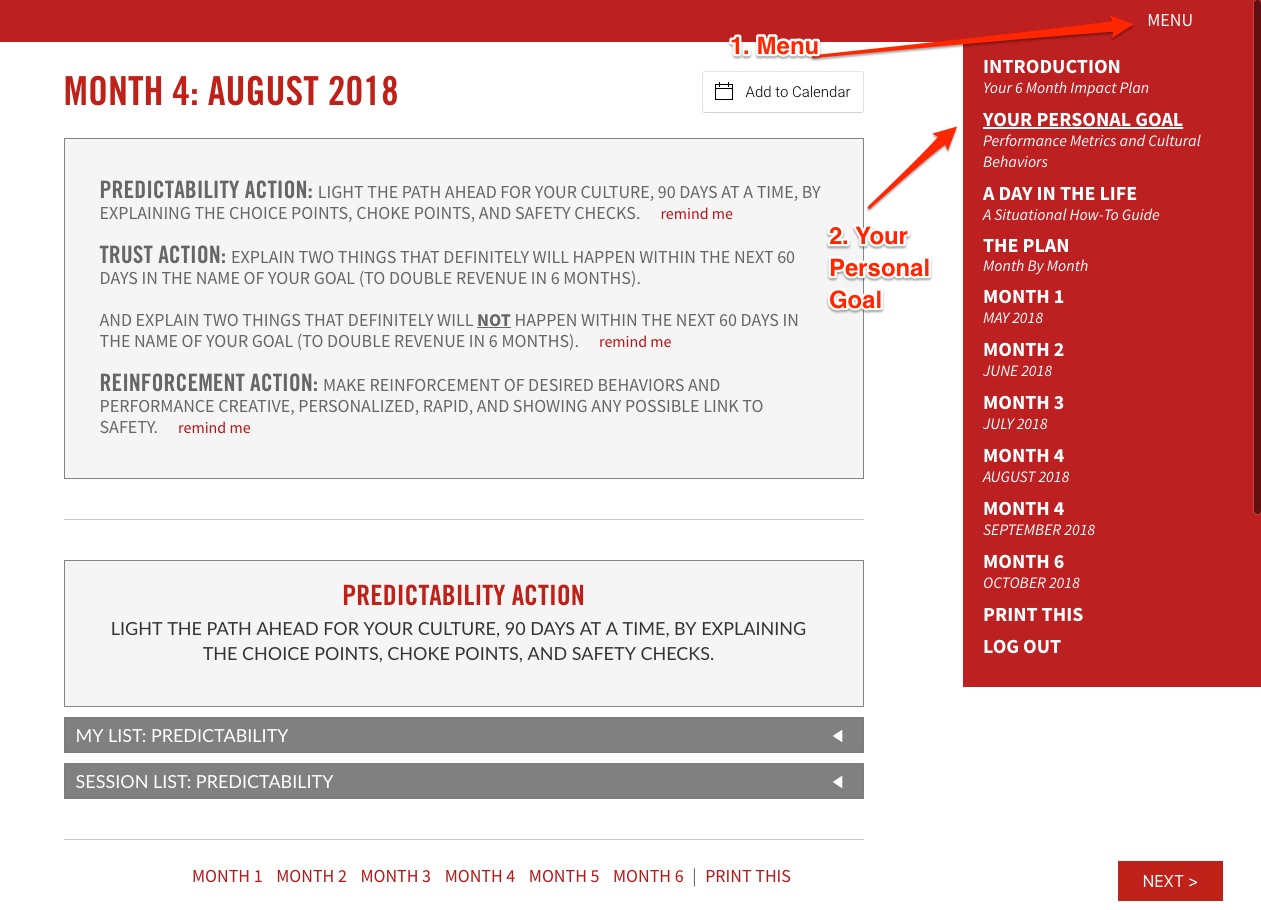
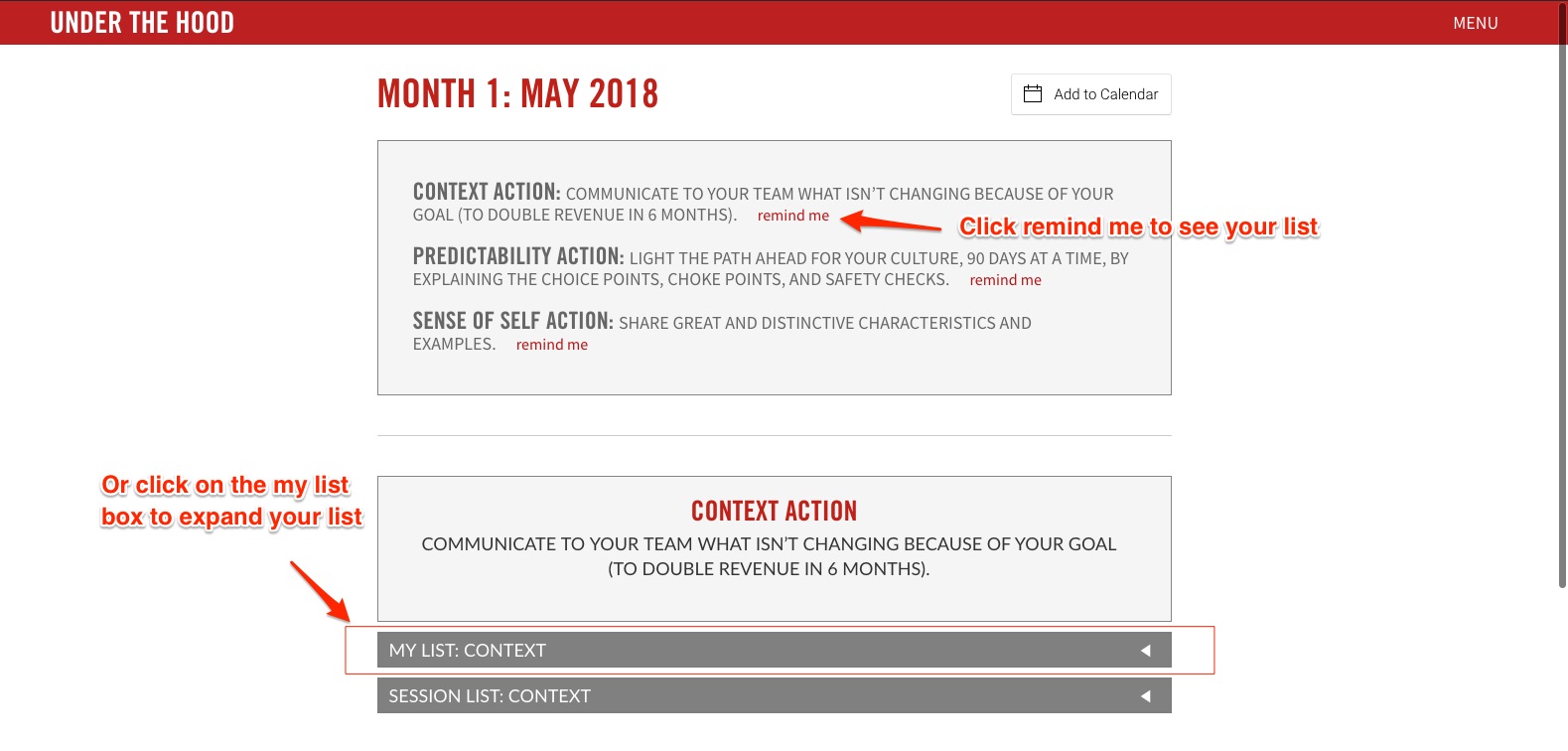
To view your list, go to one of the months on the Impact plan. At the top you will see the specific actions that are listed for that month. To view both your list and the session list, click on the "remind me" link right next to the action. This will scroll you down and open up the lists. You can also scroll down to the specific action and click on "My List" to expand your list.
Can I change the date of an action in my Personal Plan?
USING THE ADD TO MY CALENDAR BUTTON
You can, but…the actions that you added to your work calendar in the session have automatically been arranged for you in the optimal sequential order to gain maximum commitment from your employee culture. We do not recommend changing this order. You can change the date by a week or two depending on other commitments but the overall sequencing of all the actions should not be changed.
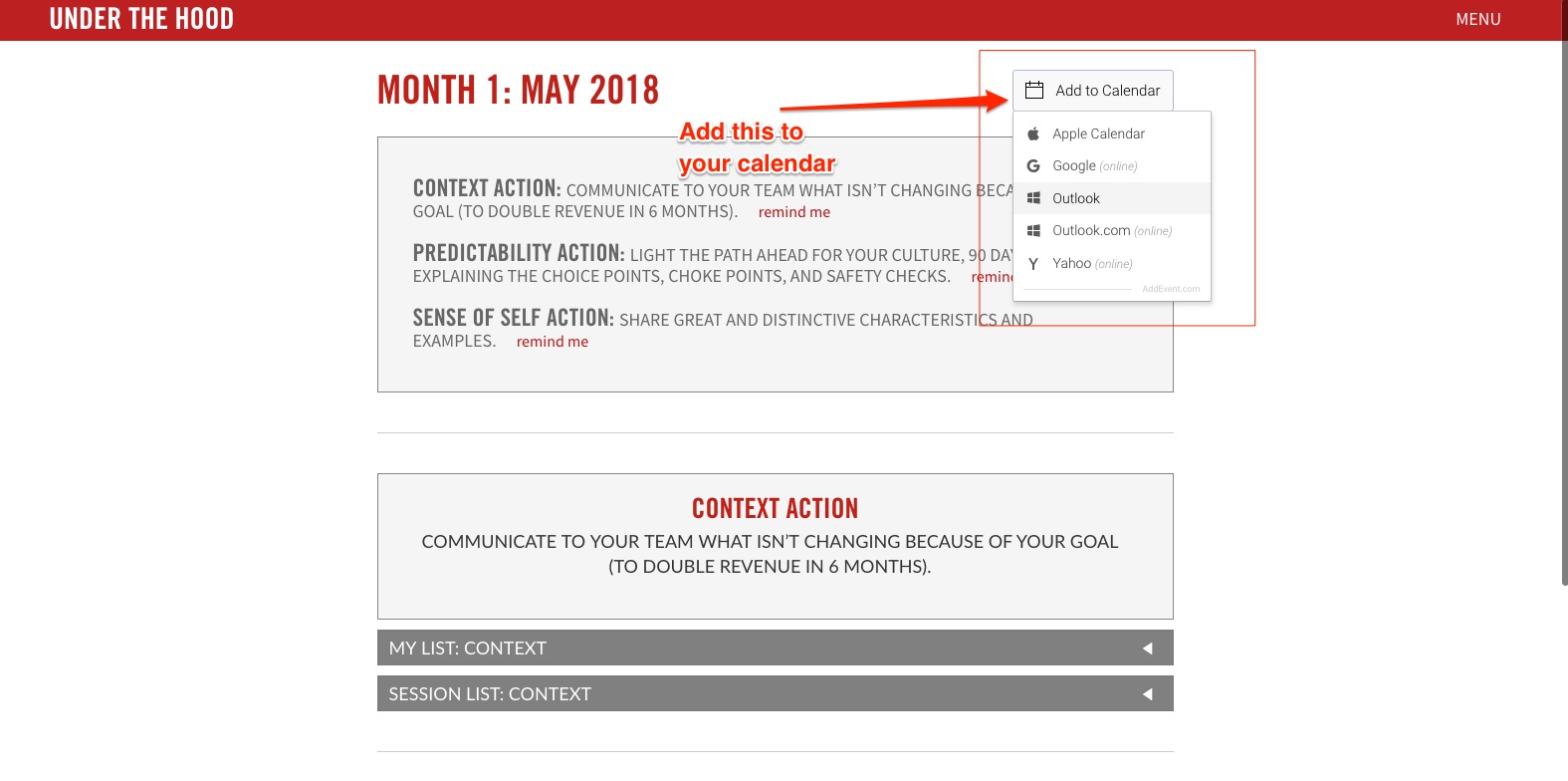
To change the date by a week or two simply navigate to the each month. Click on the "add to my calendar" link at the top of any given month and from the dropdown select your calendaring system of choice.
You will then download an .ics file. Double click on the downloaded file, and the event should automatically be added to your calendar. You can then drag and drop, edit the event and create an alert, just like any other event on your calendar. Notice, all of the relevant actions and links are also in the event notes section for your convenience.
What happens if I still don't have anything on my list?
ADDING ITEMS TO YOUR LIST AFTER THE SESSION
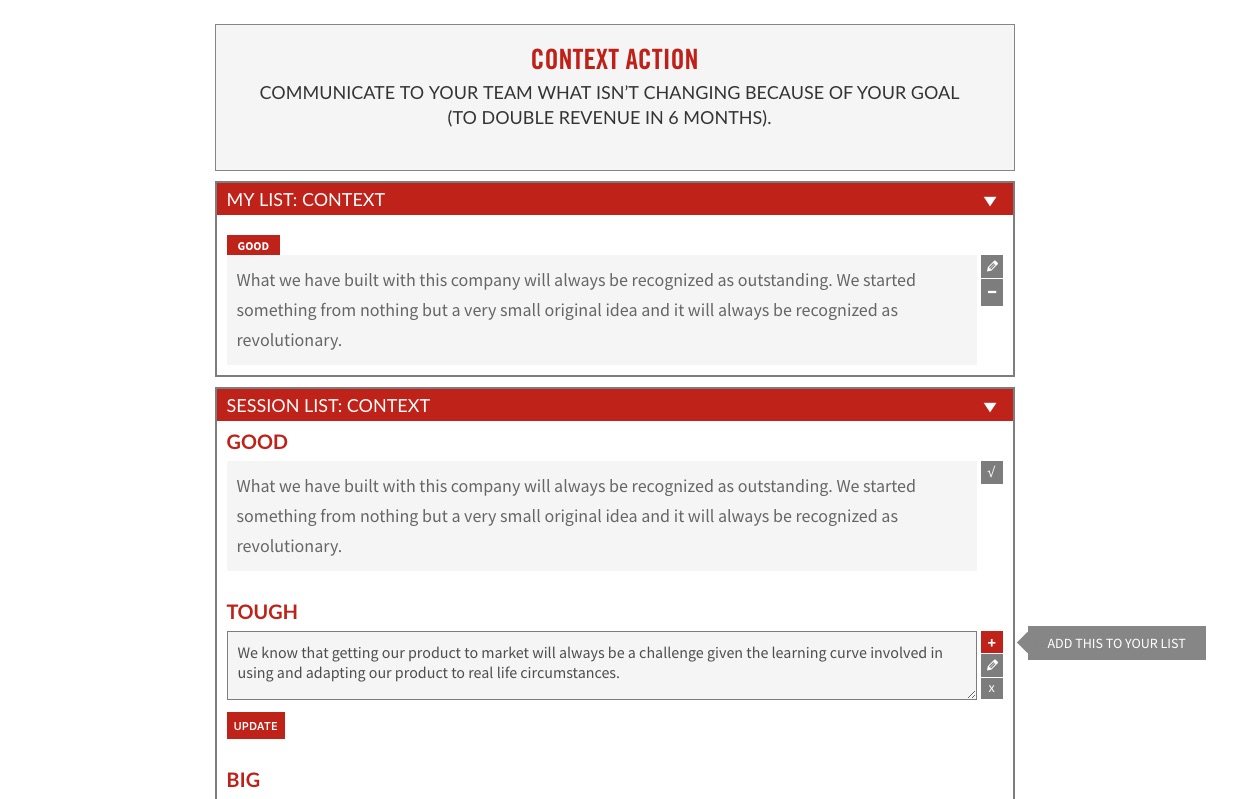
Item may still be added to your personal list, edited in place and removed from your personal list from within the Impact Plan. To add an item from the session list to your impact plan, simple expand the session list and click the plus icon next to any idea in that list. This idea will then be added to your personal plan. Once added you may edit this idea to suit your personal goals and needs. Your ideas will always be saved and can be accessed at any time in this system.
How can I apply this impact planning tool to a specific personal goal?
CUSTOMIZING THE IMPACT PLANNING TOOL FOR A SPECIFIC PERSONAL GOAL
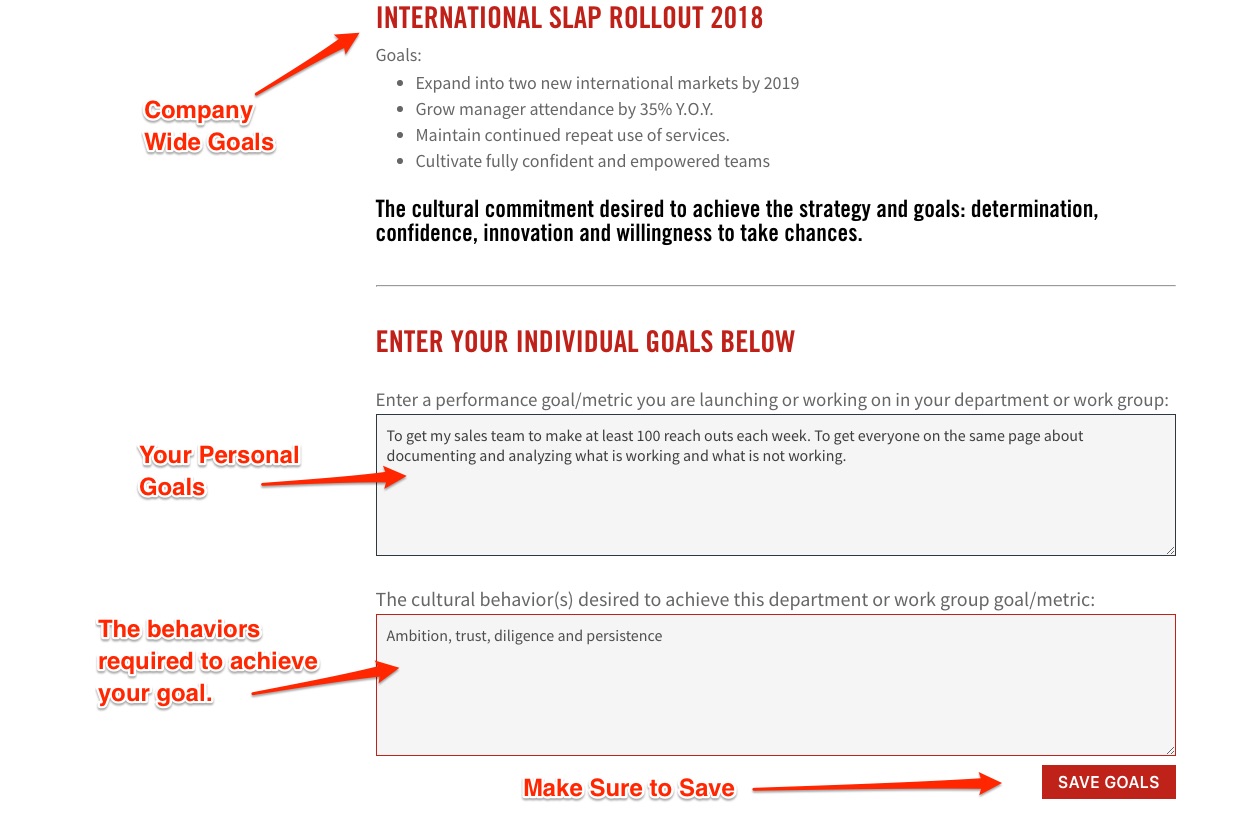
In the menu in the upper right, you will find a link to "Your Personal Goal". This screen will show you your company wide goal that you used to generate ideas during the session. If you scroll down there are two text boxes for listing your specific goals and the associated behaviors needed to achieve those goals. If you having trouble with the behaviors you can use the book, Under the Hood, to remind you.
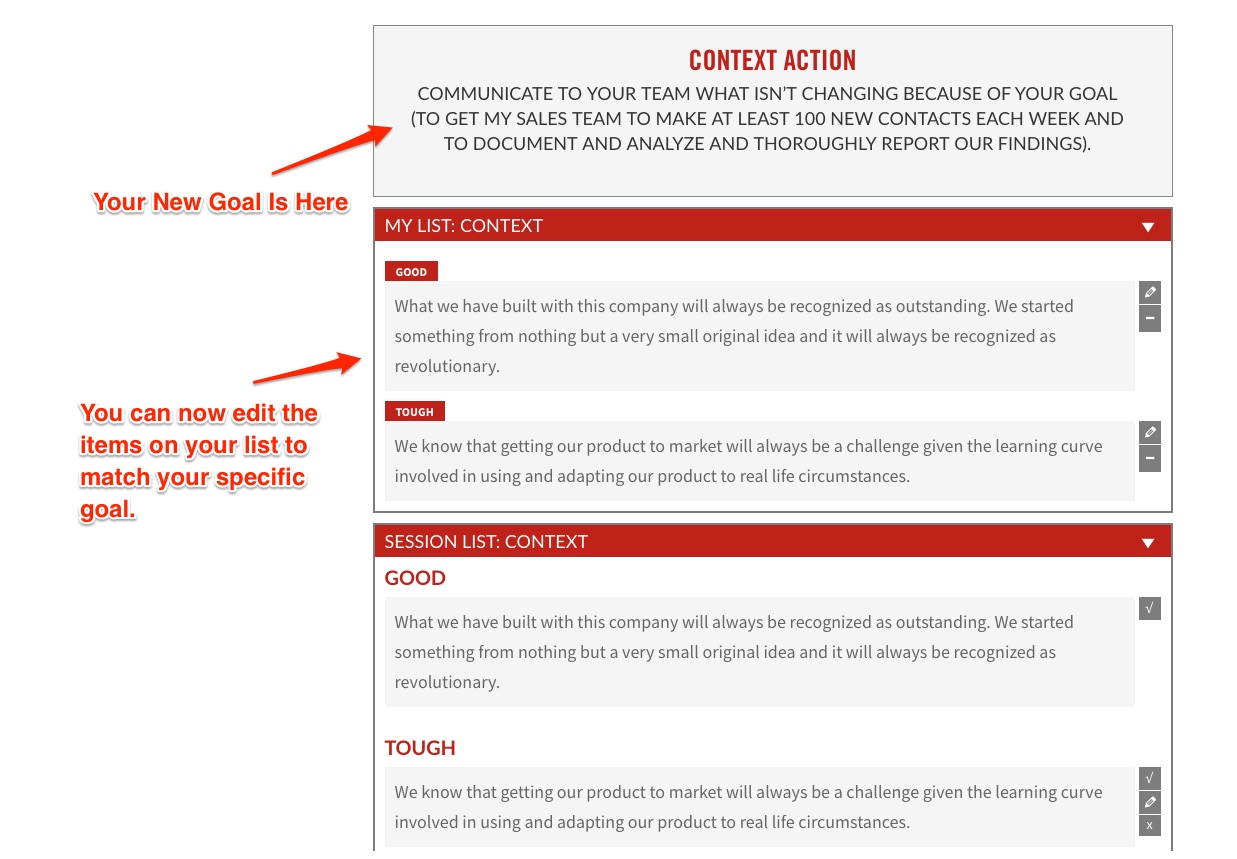
Once you have entered in your specific goals and clicked "Save", your new goal will be populated throughout the impact plan. Now, as you go to month one or month two, you will now see your goal written into each action in the appropriate place. You can then begin to edit your list appropriately for that individual goal.
Once you have edited the lists for "Context", "Predictability", "Sense of Self", "Trust", "Legends", and "Reinforcement", your list will then be populated throughout the Impact Plan. You can now print it and add it to your calendar and the new goals and lists will all be saved in the system.
There is not a way, at this time, to run multiple goals concurrently. However, though many of us have multiple goals, we encourage you to focus on at most three goals in any one six month interval in order to successfully follow through with all of them.